
Calendar & sessions
Enter your weekly open hours once. Clients request a session from those hours, and you approve or decline.
For personal trainers
Keep track of who has sessions left, who has paid and what your week looks like, without a notebook or a spreadsheet.
Inside the app
Calendar, client profiles, payments and notifications.
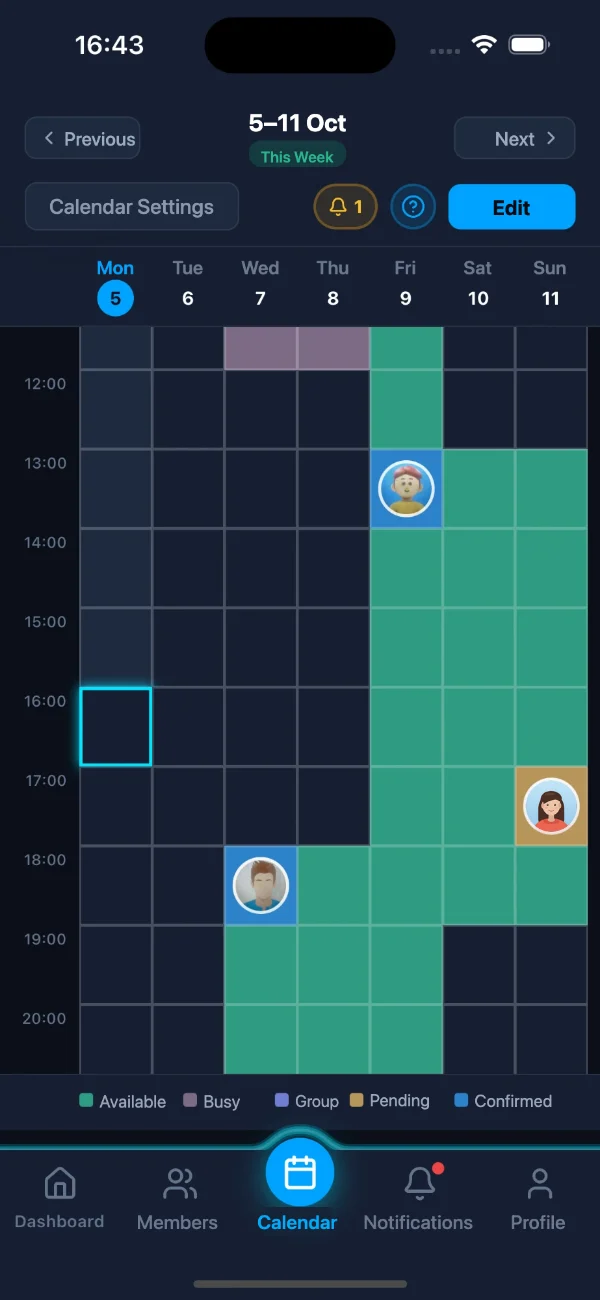
Set your weekly availability and approve incoming requests.
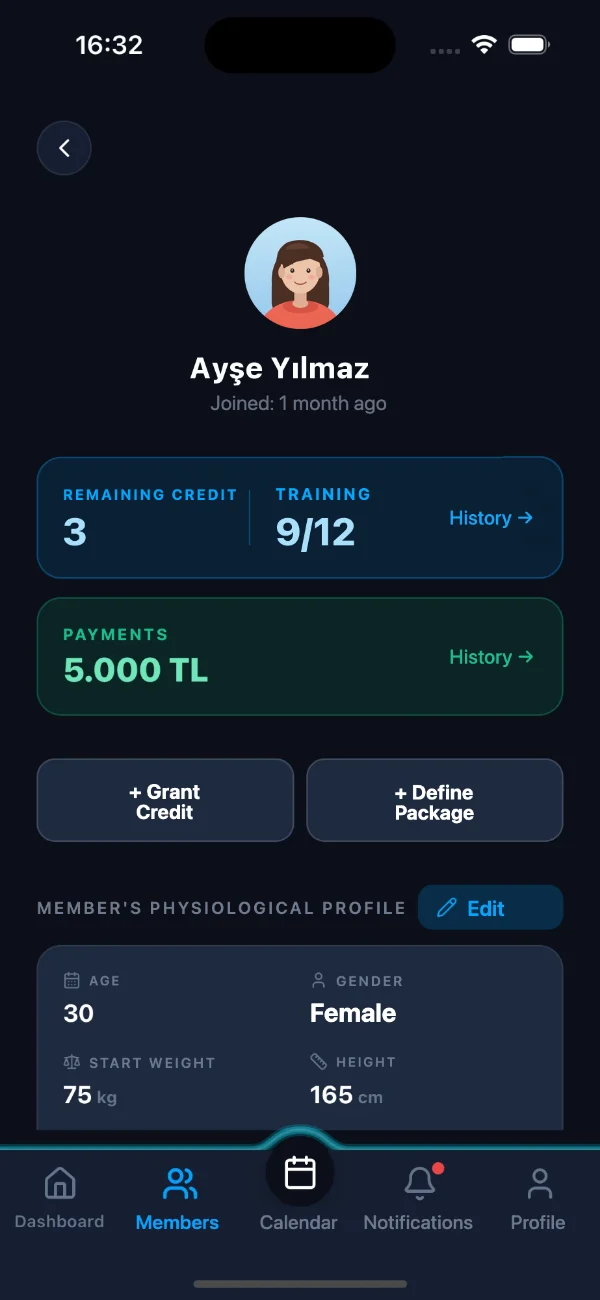
Remaining credits, sessions and payment history on the client's profile.
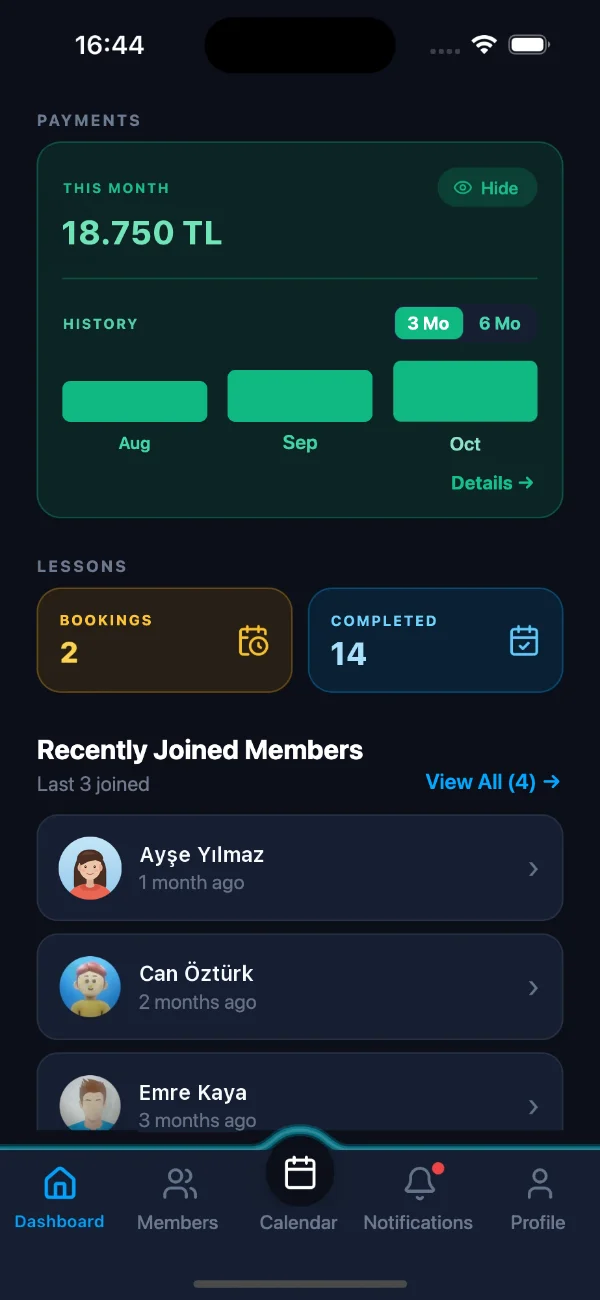
This month's income, sessions given and new clients.
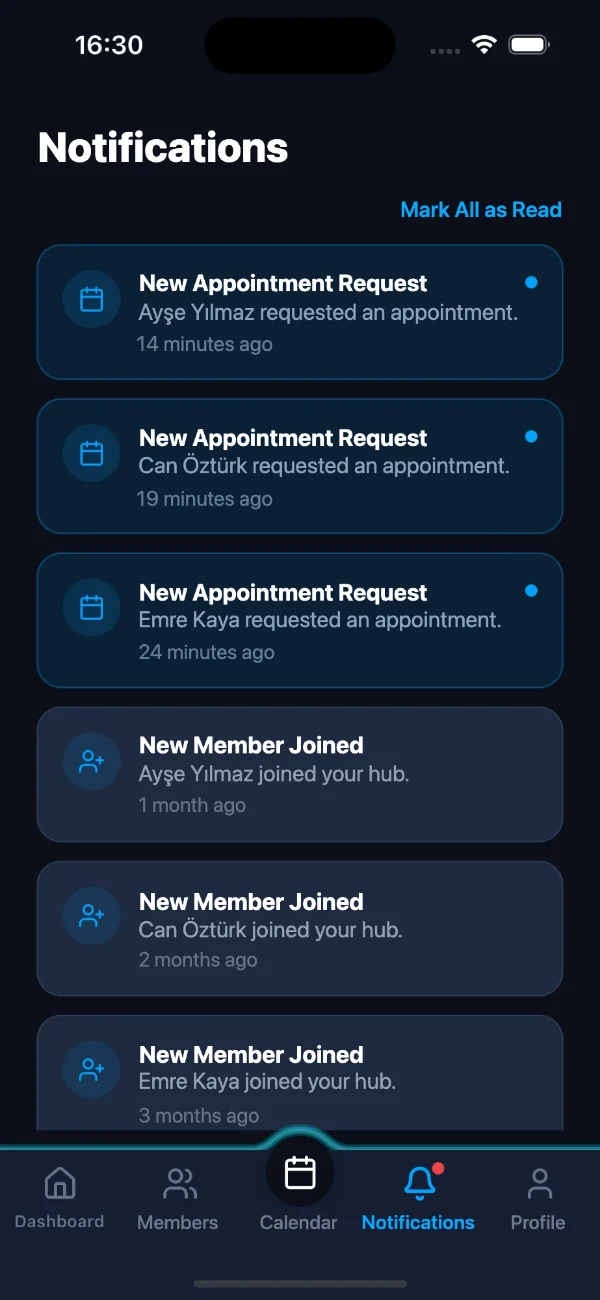
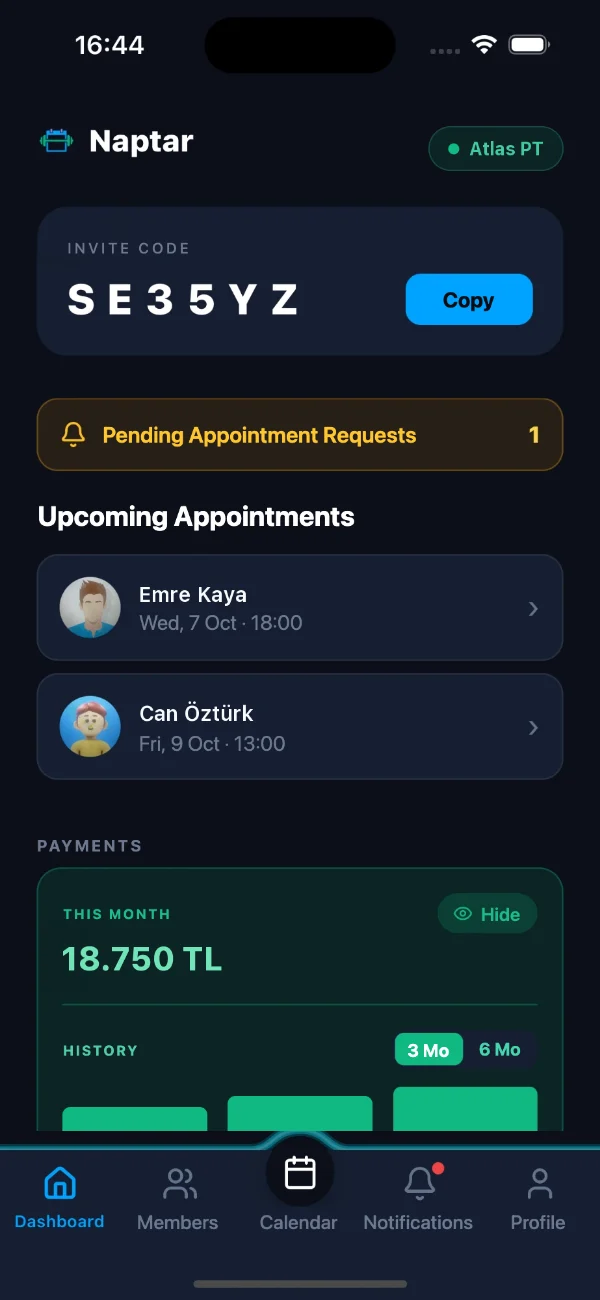
New session requests and clients joining your hub.
Features
Enter your weekly open hours once. Clients request a session from those hours, and you approve or decline.
Add clients with an invite code. Details like height and weight, session history and remaining credits live on each client's profile.
Set up packages. Credits go down as sessions are held, so you can see how many sessions each client has left.
Record the payments you receive and see how much you've collected this month.
Keep session notes for every client. Private notes are visible only to you.
Get notified when a new session request comes in or a client joins your hub.
How it works
Sign up, name your hub and enter your weekly availability.
Send your hub's invite code to clients via WhatsApp or text message.
Clients request open slots, and you approve them.
Coach and client
Frequently asked questions
A mobile app personal trainers use to keep track of their clients, sessions, class credits and payments. It doesn't build workout programs; it handles the day-to-day tracking between a coach and their clients.
Independent personal trainers and coaches who teach at studios. Their clients download the same app to request sessions and see how many they have left.
Every hub has an invite code. The coach sends it to the client via WhatsApp or text message, and the client enters it in the app to join the hub.
Free for up to 5 clients per hub. Naptar Pro is needed for more clients.
It runs on iOS and Android and is coming soon to the App Store and Google Play. The app is available in Turkish and English.
No, Naptar doesn't take payments. Coaches enter payment records in the app for their own tracking.
A client's profile, measurements and notes about them are visible only to the coach of the hub they joined. Other clients can't see them. Data is never sold or used for advertising.
In the app, go to Settings > Delete Account to permanently delete your account and all data tied to it.
Coming soon
Download links will appear here as soon as the app launches.